
Fix “Eligible (Limited)” in Google Ads: 5 Real Solutions
How to Fix "Eligible (Limited)" Status in Google Ads (Before Your Ads Stop Serving Entirely)

Your ads aren’t paused, but they might as well be. “Eligible (Limited)” means Google is throttling your impressions by 40–70% due to a policy restriction — most commonly a trademark disapproval, a missing restricted vertical certification, or a regional compliance flag. The fix depends entirely on which of the four trigger categories your ad falls into, and most advertisers waste days clicking “Request Review” when the actual solution requires a specific authorization form or landing page change.
Here’s exactly how to diagnose and resolve each one.
What “Eligible (Limited)” Is Actually Doing to Your Campaign Numbers
Let’s skip the policy manual definition. You already know the status exists — that’s why you’re here.
What you probably don’t know is the delivery math behind it.
When an ad shifts from “Eligible” to “Eligible (Limited),” Google doesn’t just reduce your reach slightly. It removes your ad from specific auction segments entirely. If the restriction is trademark-based, your ad stops serving on queries containing the trademarked term. If it’s a restricted vertical issue, your ad drops out of auctions in regions requiring certification you haven’t obtained.
The result? Your campaign dashboard shows “Eligible” in green, your budget is untouched, and your impressions have quietly cratered.
I’ve seen accounts where a single limited-status ad dragged down an entire ad group’s Quality Score because the restricted ad was the highest-CTR creative in the rotation. When it stopped serving, the remaining ads couldn’t compensate.
Check your impression share right now. Go to Campaigns → Columns → Modify Columns → Search Impression Share. If your lost impression share due to “Ad Rank” spiked in the same week the limited flag appeared, the two are directly connected.
The 4 Triggers Behind Limited Status (Ranked by How Hard They Are to Fix)
Before you touch any settings, identify which bucket your ad falls into. Open Tools & Settings → Policy Manager and look at the “Details” column next to the flagged ad. The policy name tells you everything.
Trigger 1: Trademark Restrictions (Hardest)
Your ad copy contains a trademarked term you’re not authorized to use. This is the most common reason for a trademark disapproval in Google Ads, and it requires formal authorization from the trademark owner — not just a landing page tweak.
Trigger 2: Restricted Vertical Certification Gaps (Moderate)
You’re advertising in healthcare, financial services, gambling, or legal services without the required Google certification. Your ad passes basic review but gets limited to regions or audiences where certification isn’t enforced.
Trigger 3: Regional Legal Restrictions (Easiest)
Your ad contains claims or offers that are legal in some countries but restricted in others. Common with alcohol, pharmaceuticals, and financial products. Fix: adjust geo-targeting or create region-specific ad variants.
Trigger 4: Sensitive Content Flags (Variable)
Your ad or landing page triggers Google’s “shocking content,” “adult,” or “personal hardship” classifiers. These are the most frustrating because the flag is often algorithmic and the appeal process is slower.
Your move: Filter Policy Manager by “Limited” status, export the list, and categorize every flagged ad into one of these four buckets. The fix path diverges completely after this step.
How to Fix Trademark Disapprovals in Google Ads (Step-by-Step)
A trademark disapproval in Google Ads is not a suggestion. You cannot out-appeal it. Google’s trademark enforcement is binary: either you have authorization from the trademark holder, or your ad stays limited. Period.
Here’s the exact process that works:
Step 1: Confirm the trademarked term.
In Policy Manager, click the flagged ad. Google will highlight the specific word or phrase triggering the restriction. It’s usually a brand name in your headline or description.
Step 2: Determine your relationship to the trademark.
This changes everything. Are you the trademark owner? An authorized reseller? A competitor bidding on their brand name? The fix is different for each.
If You’re a Reseller or Authorized Seller
You need to submit Google’s Trademark Authorization Form (search “Google Ads trademark complaint” and follow the authorization link for advertisers). The trademark owner must fill out the authorization section, granting your Google Ads customer ID permission to use their mark.
Critical detail most guides miss: The authorization is tied to your specific customer ID, not your email or MCC. If you move the campaign to a different account, the authorization doesn’t transfer.
Once submitted, allow 3–5 business days for processing. Don’t submit a policy appeal during this window — it will be auto-denied because the authorization hasn’t cleared yet.
If You’re Using a Competitor’s Brand Name in Ad Copy
Remove the trademarked term from your headlines and descriptions immediately. Bidding on a competitor’s trademark as a keyword is generally allowed. Using it in your visible ad text is not.
Rewrite the ad copy to reference the category instead of the brand. “CRM Software Alternative” instead of “Better Than Salesforce.” Resubmit for review. The limited flag typically clears within 24 hours after the offending term is removed.
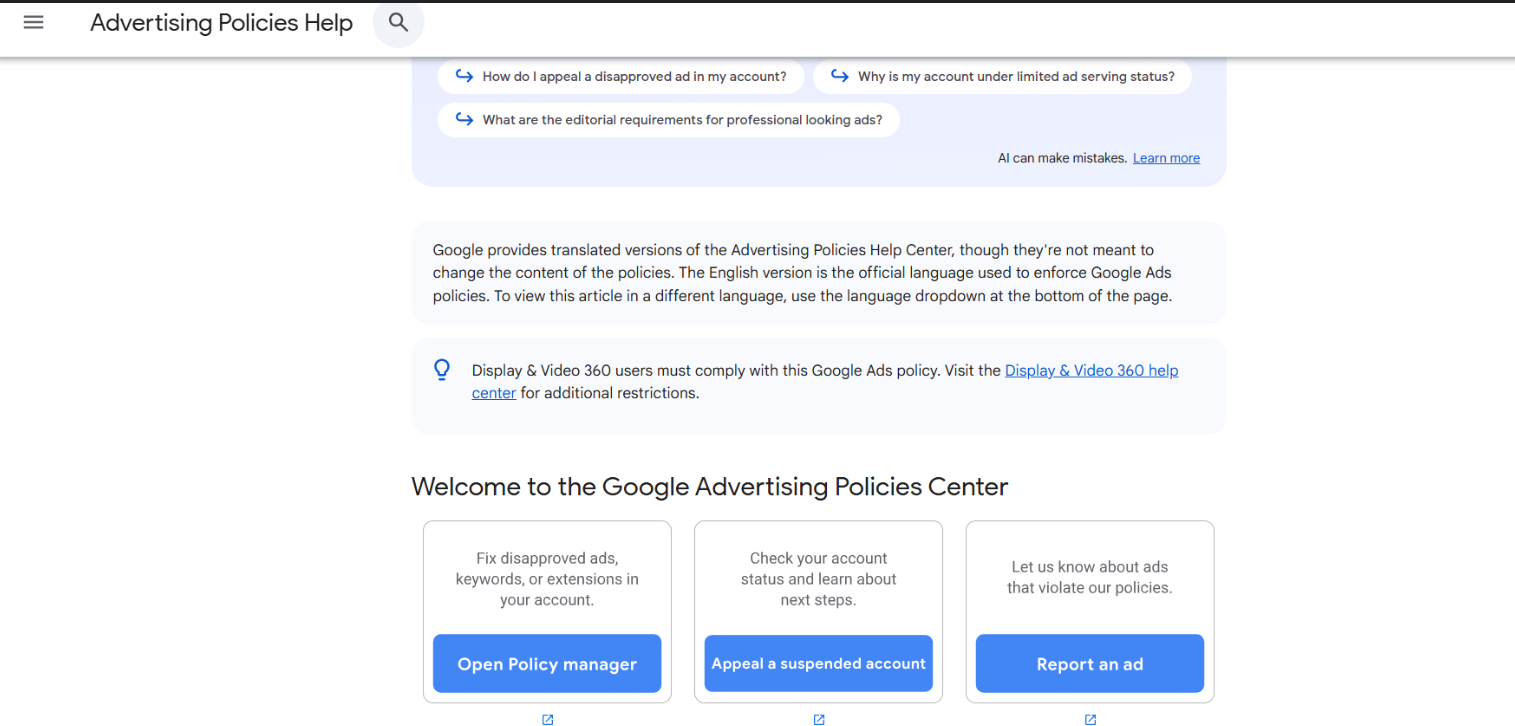
Your move: If you’re a reseller, start the authorization form today — the 3–5 day clock doesn’t begin until the trademark owner submits their portion. If you’re a competitor bidder, rewrite the ad copy now and request review tonight.
Restricted Vertical Certifications: The Process Google Doesn’t Make Obvious
If your ads are flagged for restricted vertical violations, the Google Ads restricted vertical certification process is your only path to full delivery — and it’s a process most advertisers don’t even know exists until their ads get throttled.
Google requires pre-approval for advertisers in these categories:
- Healthcare & Pharmaceuticals (prescription drugs, treatment facilities, medical devices)
- Financial Services (credit, loans, insurance, cryptocurrency)
- Gambling & Games (online casinos, sports betting, lotteries)
- Legal Services (bail bonds, legal representation in certain jurisdictions)
Here’s what the certification application actually requires:
1. A compliant landing page. Your landing page must include specific disclosures depending on the vertical. Financial services ads need APR disclosures. Healthcare ads need FDA or regional regulatory disclaimers. Google’s reviewers check the landing page before approving the certification.
2. Proof of licensure. You’ll need to upload your professional license, state registration, or regulatory approval number. A generic business license won’t cut it.
3. Geo-specific applications. Certification is granted per country. If you’re certified in the U.S. but running ads in Canada, your Canadian impressions will still be limited until you apply separately.
Timeline: Expect 5–10 business days for initial certification review. If your application is incomplete, Google won’t tell you what’s missing — they’ll just deny it and ask you to reapply. I’ve seen advertisers go through three cycles before realizing their landing page was missing a specific disclosure line.
Your move: Go to Tools & Settings → Billing → Account Settings → Advertiser Verification. Check if your account has any pending or denied certification applications. If you’ve never applied and you’re in a restricted vertical, that’s your limited-status trigger.
The Policy Appeal Process That Actually Gets Results (With Real Timelines)
A Google Ads policy violation appeal is not a one-click fix, despite what the “Request Review” button implies. Here’s what actually happens behind the scenes and how to maximize your approval odds.
When to appeal (and when not to):
Only appeal if you’ve already made the fix. Submitting an appeal on an unchanged ad is the single most common mistake I see. Google’s review queue is processed by a combination of AI and human reviewers. If the AI re-scans your ad and finds the same trigger, it auto-denies the appeal in under 6 hours. You’ve now burned one of your effective appeal attempts.
The appeal timeline breakdown:
| Appeal Type | Typical Review Time | Denial Response Time |
|---|---|---|
| Standard policy (misleading content, destination mismatch) | 1–2 business days | Under 24 hours |
| Trademark-related | 3–5 business days | 2–3 business days |
| Restricted vertical | 5–10 business days | 3–5 business days |
| Sensitive content / adult | 2–4 business days | 1–2 business days |
What to include in your appeal:
Don’t just click “Request Review” and leave the explanation blank. Use the appeal text field to specify exactly what you changed. “Removed trademarked term ‘BrandX’ from Headline 2. Replaced with category descriptor. Landing page URL unchanged.” This gives the human reviewer (if your case gets escalated) a clear signal that you understand the violation.
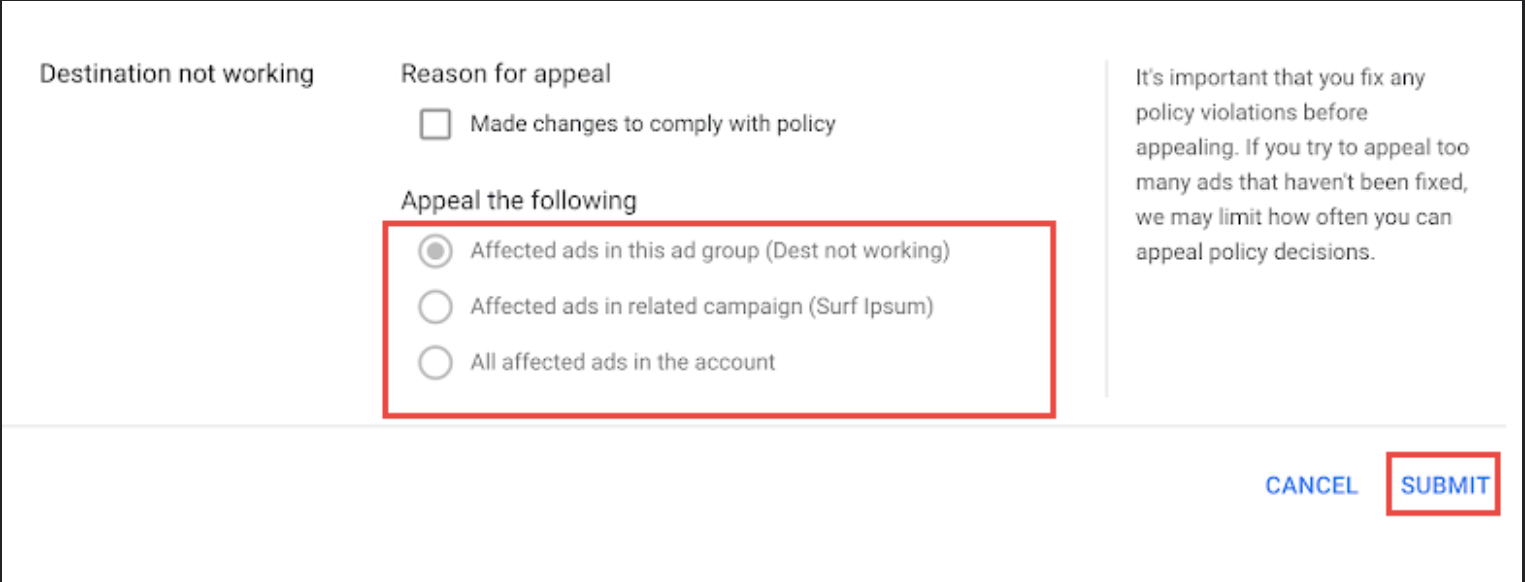
Your move: Fix the ad first. Wait 30 minutes for the edit to propagate. Then submit the appeal with a specific change description. Do not submit multiple appeals for the same ad — it resets the queue position.
If your appeal just got denied for the second time and your ad spend is bleeding out, you’re likely dealing with an account-level flag, not a single-ad issue. Account suspension recovery steps walks through the escalation process and when to contact Google’s policy team directly.
What Nobody Tells You About Repeated “Limited” Flags
Here’s the part most guides leave out because it’s uncomfortable.
A single “Eligible (Limited)” ad is a warning. A pattern of them is a case file.
Google’s policy enforcement system tracks violation frequency at the account level, not just the ad level. If you consistently generate ads that get flagged as limited — even if you fix them quickly — the system builds a compliance history for your account.
After a certain threshold (Google doesn’t publish the exact number, but in my experience it’s around 15–20 limited flags within a 90-day window), your account becomes eligible for a “Repeated Policy Violations” enforcement action. This is a different beast entirely. It doesn’t limit individual ads. It restricts your entire account’s ability to serve, and the appeal process shifts from automated to manual review with no guaranteed timeline.
The worst-case scenario is a “Circumventing Systems” suspension, which Google applies when it believes you’re deliberately creating new ads to bypass policy restrictions. This type of suspension has the lowest reinstatement rate of any Google Ads enforcement action.
Your move: Run a Policy Manager audit monthly. Don’t just fix limited ads — delete the ones you can’t fix instead of leaving them in a perpetual “limited” state. An inactive limited ad still counts toward your account’s violation history.
Google Ads Policy Compliance: When to DIY vs. Hire a PPC Agency
Not every limited-status fix requires outside help. But some do — and knowing the difference saves you weeks of lost impressions and wasted appeal attempts.
DIY if:
- The issue is a single trademark term in ad copy (remove and resubmit)
- The restriction is geo-specific and you can adjust targeting
- You have fewer than 5 limited ads and they’re all in the same campaign
Consider a PPC agency or policy specialist if:
- You’re in a restricted vertical and have never completed certification
- Your account has 10+ limited ads across multiple campaigns
- You’ve had two or more appeals denied
- You’re running ads in multiple countries with different regulatory requirements
The cost of a PPC agency policy compliance audit typically ranges from $500–$2,500 as a one-time engagement, depending on account size and violation complexity. Compare that to the cost of a full account suspension, where Google Ads account suspended recovery can take weeks and cost thousands in lost revenue during the downtime.
How to Set Up a Google Ads Campaign in 2026 Without Burning Your Budget
Your move: If you’re in a restricted vertical and this is your first certification attempt, the DIY path is viable. If you’re on your second denied appeal, the ROI of a specialist pays for itself within the first week of restored impressions.
Frequently Asked Questions
What does eligible limited mean in Google Ads?
“Eligible (Limited)” means your ad passed basic review but is restricted from serving to certain audiences, regions, or queries due to a specific policy flag — usually trademark restrictions, missing vertical certifications, or regional legal requirements. Your ad can still serve, but impressions will be significantly lower than a fully eligible ad.
How long does a Google Ads policy appeal take?
Standard policy appeals are reviewed within 1–2 business days. Trademark appeals take 3–5 business days. Restricted vertical certification applications take 5–10 business days. If your appeal is denied, you can resubmit once with additional documentation, but repeated denied appeals trigger manual account-level review.
Can eligible limited status turn into a full account suspension?
A single limited flag won’t suspend your account. However, a pattern of 15–20+ limited flags within 90 days can trigger “Repeated Policy Violations” enforcement, which restricts your entire account. In severe cases, Google may classify the pattern as “Circumventing Systems,” which carries a suspension with no guaranteed reinstatement path.
Your 24-Hour Action Plan
If you’ve made it this far, you already know more about Google Ads policy enforcement than most media buyers who’ve been running campaigns for years.
So here’s the question: are your limited ads costing you more in lost impressions right now than it would take to fix them this afternoon?
Pause for a second. Open Policy Manager. Count the limited ads.
If it’s under five and they’re trademark-related, rewrite the ad copy tonight and submit appeals tomorrow morning. If it’s over ten and you’re in a restricted vertical, start the certification application this week and consider a compliance audit before the pattern triggers an account-level flag.
Bookmark this page. Share it with whoever manages your ad account. And if you want a complete diagnostic of your campaign health beyond policy flags, competitor keyword bidding strategy covers the keyword-level tactics that compound your recovery once your ads are fully eligible again.
AUTHOR BIO: Solomon Nnamdi Eke-Osih, PPC strategist with 5 years managing Google Ads accounts across restricted verticals including healthcare, fintech, and legal. Has recovered 10+ accounts from policy enforcement actions.
