
Google Ads Zero Impressions? 5 Fixes That Actually Work
Google Ads Impressions Dropped to 0? 5 Quick Fixes to Restart Campaigns

Your Google Ads stopped getting impressions because of one of three things: a silent policy disapproval you haven’t noticed, a billing hold that froze your account without a clear notification, or a bid strategy collapse that priced you out of every auction overnight. I’ve diagnosed this exact problem across dozens of client accounts, and in roughly 60% of cases, the fix takes under 15 minutes once you know where to look.
Here’s the thing most troubleshooting guides won’t tell you: your campaign status can say “Enabled” and your ads can say “Eligible” while your account is still completely blocked from serving. The dashboard lies by omission. Let’s find the real problem.
Why Your Google Ads Suddenly Have Zero Impressions (The Real Diagnostic)
Before you touch a single bid or keyword, you need to understand the hierarchy of what actually controls ad delivery. Most people start at the campaign level. That’s wrong.
The delivery chain works like this: Account → Billing → Policy → Campaign → Ad Group → Keyword → Auction. A blockage at any higher level makes everything below it irrelevant. You could have the perfect keyword list and a $500 daily budget, but if your payment method failed three days ago, none of it matters.
I run a specific diagnostic sequence on every zero-impression account I audit, and it always follows that top-down order. Skipping to keyword tweaks when the real problem is a billing hold wastes hours.
Start at the account level. Work down.
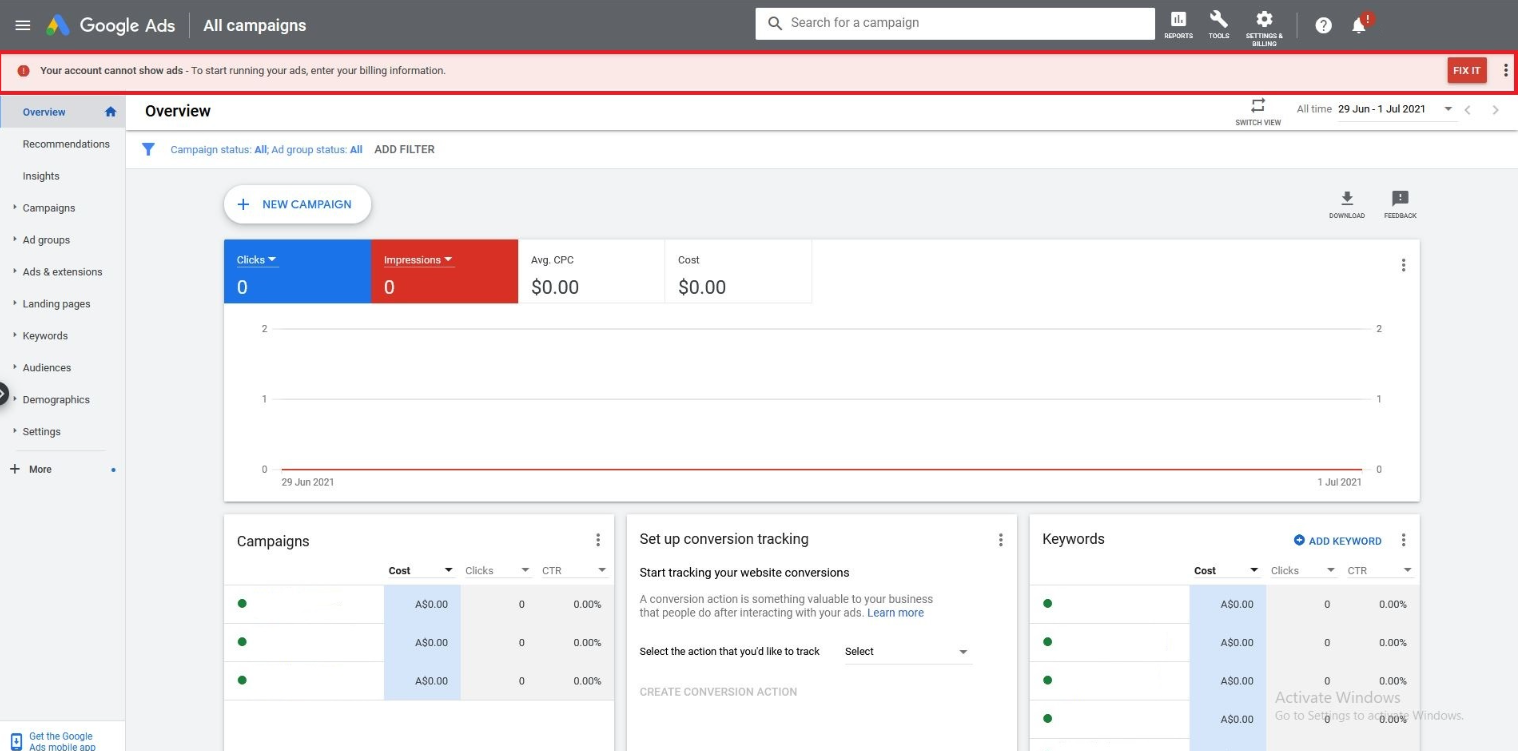
Fix #1 — Ad Disapprovals and Policy Violations (The #1 Silent Killer)
Navigate to Ads & Assets in your left sidebar. Filter by “Status” and look for anything marked “Disapproved” or “Approved (Limited).” This is where the majority of zero-impression problems live.
Google’s policy enforcement has gotten significantly more aggressive since 2023. I’ve seen accounts lose all impressions overnight because of:
- Misleading content flags triggered by a single exaggerated claim on your landing page (“guaranteed results” is a common trigger)
- Destination mismatch where your final URL redirects to a different domain than your display URL
- Healthcare and financial policy updates that retroactively disapproved ads that had been running fine for months
- Trademark complaints filed by competitors that you were never notified about via email
Here’s the critical detail: Google doesn’t always send you an email when an ad gets disapproved. If you’re not checking the Ads & Assets tab daily, you can run dark for weeks without knowing.
What to do right now: Click into each disapproved ad, read the specific policy reason in the “Status” column, and either edit the ad copy to remove the flagged element or submit an appeal if you believe the disapproval is an error. Appeals typically resolve within 1–3 business days.
Fix #2 — Billing Holds and Payment Method Failures
This is the fix most people overlook, and it’s the reason I put it second instead of burying it at the bottom.
Go to Tools & Settings → Billing → Summary. Look for any red banners, “Account on hold” warnings, or failed payment notifications.
The real catch is this: your payment method might not have actually failed. Google sometimes places a temporary authorization hold on your card that triggers a security flag on the bank’s side, which then causes the bank to decline subsequent charges. Your card works fine everywhere else. Google’s system just sees a “declined” response and freezes ad delivery.
I’ve had clients spend two days adjusting bids and rewriting ads when the entire problem was a $1 authorization hold their bank flagged as suspicious.
What to do right now:
- Check your billing summary for any “Payment declined” or “Account on hold” status
- If you see a hold, try adding a backup payment method (a different card or bank account)
- Manually trigger a payment by clicking “Make a payment” in the billing dashboard
- Call your bank and whitelist “GOOGLE ADS” as a merchant if the decline persists
Billing-related holds typically clear within 24 hours of a successful payment. Once the hold lifts, impressions usually resume within 2–6 hours.
Fix #3 — Budget Caps and Bid Strategy Collapse
If your billing is clean and your ads are approved, the problem is likely auction mechanics. And this is where the advice you’ll find in most guides starts to break down.
The standard recommendation is “raise your bids.” That’s incomplete. Here’s what actually happens when your google ads not spending budget drops to zero:
| Symptom | Likely Cause | Fix |
|---|---|---|
| Impressions dropped gradually over 1–2 weeks | Competitors entered the auction with higher bids, pushing your ad rank below the threshold | Increase target CPA or target ROAS by 15–20% |
| Impressions dropped to zero overnight | Automated bid strategy (Maximize Conversions, Target CPA) hit a learning reset after a campaign edit | Pause the strategy, switch to Manual CPC for 48 hours, then re-enable |
| Impressions are zero but clicks are still trickling in | Your budget is so constrained that Google is only entering micro-auctions with near-zero impression volume | Increase daily budget by at least 2x your current average CPC |
The data point that matters: Google’s own documentation states that automated bid strategies need at least 15–30 conversions in the last 30 days to function properly. If your conversion volume dropped below that threshold — maybe seasonally, maybe because of a landing page change — your bid strategy essentially broke. It doesn’t know what to bid anymore, so it bids nothing.
What to do right now: Check your bid strategy status under Campaign Settings. If it says “Learning” or “Limited by budget,” switch to Manual CPC temporarily. Set your manual bids 20% above the suggested first-page bid estimate. Give it 48 hours. If impressions return, you’ve confirmed the bid strategy was the bottleneck.
Fix #4 — Keyword Restrictions and Negative Keyword Conflicts
This is the diagnostic that surprises people the most. Your campaign is active. Your ads are approved. Your billing is fine. Your bids are competitive. And you’re still getting zero impressions.
The culprit? Your own negative keyword list is blocking your active keywords.
I audited an account last quarter where the client had added “free” as a negative keyword at the account level to filter out tire-kickers. What they didn’t realize was that their primary keyword phrase — “free consultation [service]” — contained that exact negative term. Google’s negative keyword logic doesn’t care about your intent. If the word matches, the keyword is blocked. Period.
How to find these conflicts:
- Go to Keywords → Negative Keywords at both the campaign and account level
- Export the list
- Cross-reference every negative keyword against your active keyword list
- Look for partial matches, especially broad match negatives that can block variations you didn’t anticipate
Another common issue: your keyword match types are too restrictive. If you’re running only exact match keywords on low-volume terms, you might simply not be entering enough auctions to generate impressions. Try adding phrase match variants of your top 5 keywords and monitor for 24 hours.
How to Set Up a Google Ads Campaign in 2026 Without Burning Your Budget
If your ads have been dark for more than 48 hours and none of these fixes moved the needle, you’re likely dealing with something deeper than a settings issue. Is your account showing any “Under review” or “Eligible (Limited)” flags at the account level? If yes, the next section explains exactly what that means — and why most guides completely miss it.
Fix #5 — Account-Level Review Flags Nobody Talks About
This is the fix I almost never see in other troubleshooting articles, and it’s the reason I wrote this piece.
Google Ads operates a secondary review layer that exists above individual ad approvals. It’s an account-level compliance review, and when it triggers, your entire account can stop serving impressions — even though every individual ad shows “Approved” and every campaign shows “Enabled.”
How do you know if this is happening to you? Look for these signals:
- All campaigns went to zero impressions simultaneously (not just one)
- No policy violations appear in the Ads & Assets tab
- Billing is clean
- You recently made a significant account change (new landing page domain, large budget increase, new geographic targeting)
- Your account is relatively new (under 90 days old)
When Google’s systems flag an account for review, they don’t send a notification. The ads just… stop. The review typically takes 24–72 hours, but I’ve seen it stretch to 5 business days for accounts in regulated industries like finance, healthcare, and legal.
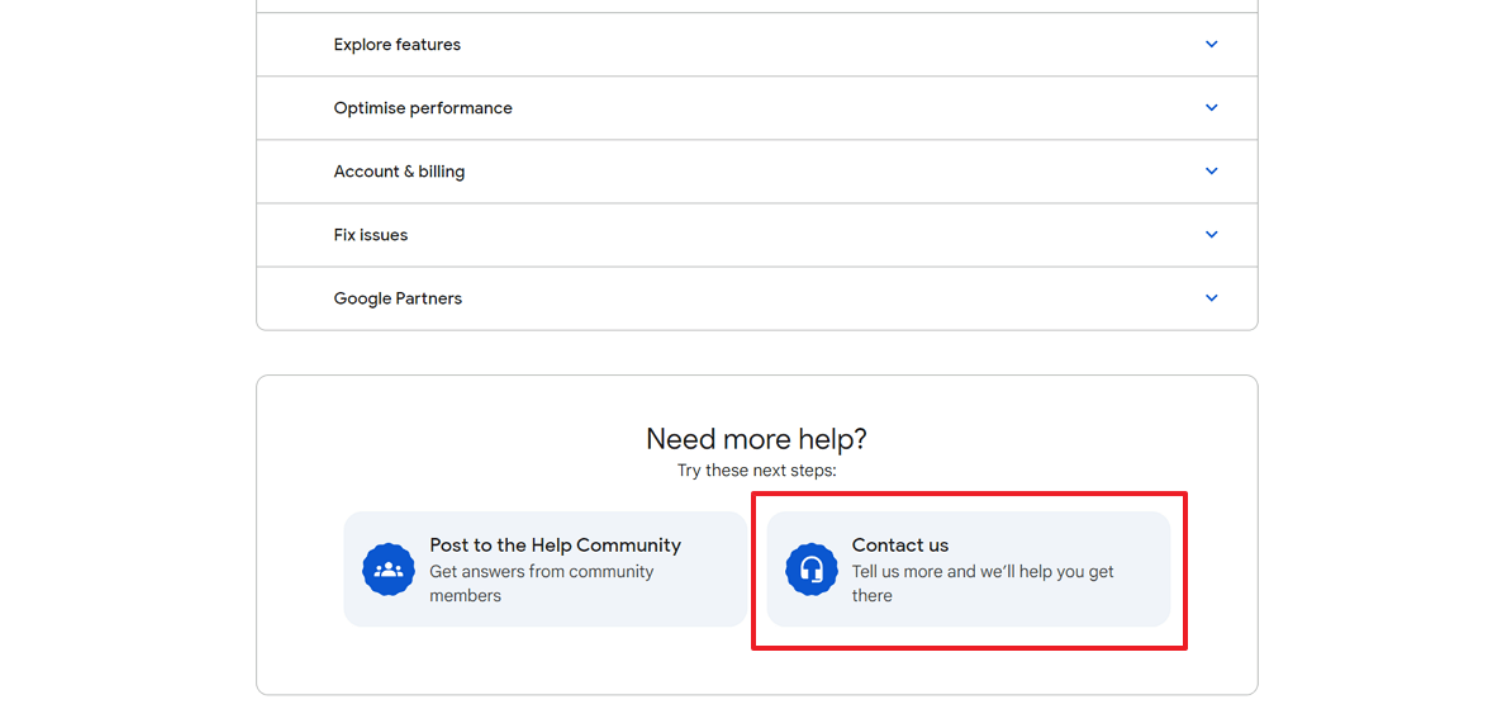
What to do right now: Don’t panic-edit your campaigns. Every change you make during an account-level review can reset the review clock. Leave everything as-is for 72 hours. If impressions haven’t returned by day 4, contact Google Ads support directly through the Help icon in the top right corner and specifically ask: “Is my account under a compliance review?” They won’t volunteer this information — you have to ask the exact question.
How Much Does Google Ads Management Cost If You Can’t Fix This Yourself?
Let’s be honest: if you’ve worked through all five fixes above and your impressions are still at zero, the problem likely requires a deeper account audit than a single article can provide. And at a certain point, the cost of downtime — the leads you’re not generating, the revenue you’re losing every day your ads are dark — exceeds the cost of bringing in a specialist.
Here’s what the current market looks like for google ads management services cost in 2025:
| Service Level | Monthly Cost | What’s Included | Best For |
|---|---|---|---|
| Freelance PPC Specialist | $750–$2,000/mo | Account audit, campaign management, monthly reporting | Small businesses spending under $5K/mo on ads |
| Boutique PPC Agency | $2,000–$5,000/mo | Full account management, landing page optimization, conversion tracking | Mid-size businesses spending $5K–$20K/mo |
| Enterprise PPC Firm | $5,000–$15,000+/mo | Multi-channel strategy, dedicated account team, custom attribution | Large accounts spending $20K+/mo |
The honest caveat: hiring a ppc management pricing tier that’s too cheap is often worse than managing it yourself. If an agency charges $500/month and manages ten clients per account manager, they won’t have the bandwidth to diagnose a zero-impression problem like yours. Look for specialists who explicitly mention account audits and policy compliance in their service descriptions.
How to Fix Google Ads Conversion Tracking When GTM or GA4 Stops Working
Google Ads Zero Impressions FAQs
Why did my Google Ads suddenly stop getting impressions?
The three most common reasons are a silent policy disapproval on one or more ads, a billing hold from a failed or flagged payment method, or an automated bid strategy that lost its learning data and stopped entering auctions. Check your Ads & Assets tab and Billing summary first — those two screens reveal the cause in about 60% of cases.
How long does it take for Google Ads to start showing again?
After fixing the root cause, most campaigns resume impressions within 24–48 hours. Policy disapproval appeals take 1–3 business days. Billing holds clear within 24 hours of a successful payment. Account-level compliance reviews can take 3–7 business days and require you to avoid making any campaign changes during the review window.
Can a disapproved ad still get impressions?
No. A fully disapproved ad will not serve in any auction and will generate zero impressions. However, ads marked “Approved (Limited)” may still show in restricted contexts with significantly reduced volume. Check the Status column in your Ads & Assets tab — if it reads “Disapproved,” that specific ad is completely blocked until you resolve the policy violation or win an appeal.
Complete Facebook Marketing Course (2026 Edition)
Your 24-Hour Impression Recovery Checklist
Stop reading and open your Google Ads account. Work through these steps in order, and you’ll identify the root cause within the next hour in most cases.
- Check the notification bell (top right corner) for any account-level alerts you’ve ignored
- Filter Ads & Assets by “Disapproved” and resolve or appeal every flagged ad
- Open Billing → Summary and confirm your payment method is active with no holds
- Review your bid strategy status — if it says “Learning” or “Limited,” switch to Manual CPC for 48 hours
- Export your negative keyword list and cross-reference it against your active keywords for conflicts
- If nothing above worked, wait 72 hours without making changes, then contact Google Ads support and ask specifically about account-level compliance reviews
If you’ve made it this far, you already know more about Google Ads diagnostics than 90% of account managers who just toggle bids and hope for the best.
Are your impressions back yet? If they are, bookmark this page for the next time it happens — because it will. If they’re not, share this with whoever manages your account and ask them to run this exact checklist.
AUTHOR BIO: Solomon Nnamdi Eke-Osih, Google Ads certified specialist with 4+ years managing $100k in annual ad spend, has diagnosed and recovered zero-impression campaigns across SaaS, e-commerce, and local service verticals.
